Audio sets the tone for successful Twitch broadcasts. It fills the silence during matchmaking queues and builds tension during intense boss fights. However, strict copyright enforcement presents a constant hurdle for modern streamers. Playing unauthorized commercial tracks leads to muted video-on-demand recordings and potential channel bans. Finding compliant audio is a strict requirement for content creators today. Musick AI offers a direct, functional solution. By using an AI Music Generator, broadcasters can create custom, royalty-free backing tracks from scratch. This method completely removes the stress of navigating complex licensing agreements. Generating exclusive AI Music guarantees channel safety while providing viewers with a unique auditory experience. Having a reliable source of high-quality sound is an absolute necessity for daily streaming.
I. Securing Copyright and Stream Compliance
- Bypassing DMCA Risks Completely
Muted recordings heavily interrupt the viewing experience for fans who miss live broadcasts. When a channel plays unauthorized songs, automated content identification systems flag the video immediately. Musick AI ensures its underlying audio library relies on full consent and strict adherence to copyright laws. The algorithms analyze existing data safely, meaning every generated melody respects the intellectual property of original artists.
- Obtaining Commercial Licenses
Because the generation process adheres to legal standards, the resulting tracks come with a robust commercial license. Streamers can broadcast these tracks live and include them in stream highlights without fearing unexpected copyright strikes. This provides absolute peace of mind during long gaming sessions, allowing creators to focus entirely on the community rather than constantly monitoring their audio sources.
- Maintaining Private Audio Assets
Relying on public, royalty-free playlists often means sharing the exact same background audio with thousands of other channels. The generation process on Musick AI keeps the newly created tracks visible only to the creator. This privacy setting allows a broadcaster to build a completely exclusive soundboard, securing unique audio assets that help build a recognizable channel identity.
II. Utilizing the Generation Parameters
- Toggling Instrumental Tracks
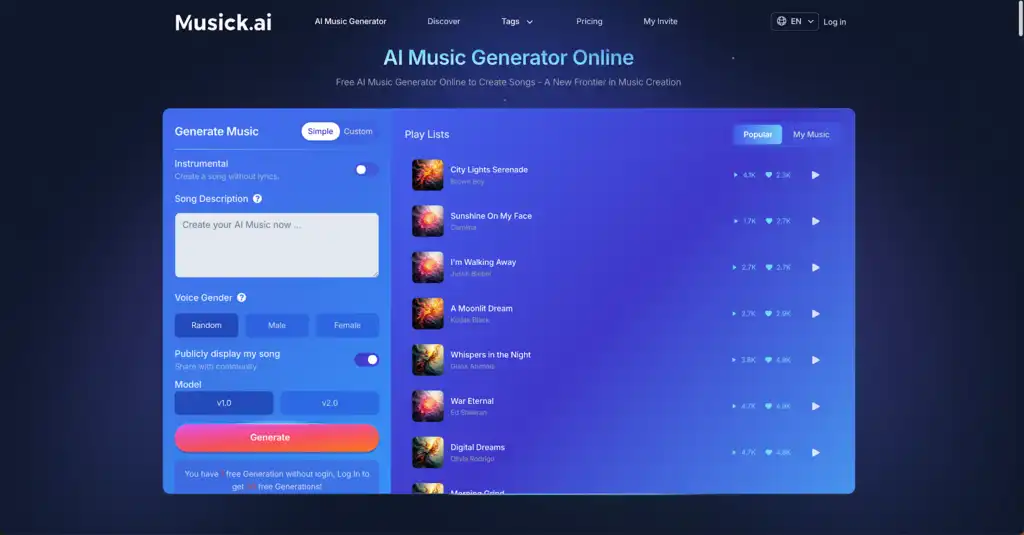
Background audio should never overpower the microphone. During competitive gameplay or detailed tutorials, lyrics can distract the audience and clash with spoken commentary. The interface provides a direct option to create a track without lyrics. Checking the “Instrumental” box guarantees a clean, uninterrupted beat that sits perfectly beneath voice audio, ensuring spoken clarity.
- Selecting Specific Voice Genders
For segments needing a stronger vocal presence, the tool allows specific voice gender selection. Users toggle between Random, Male, or Female vocalists before hitting generate. This is particularly useful for introductory ‘Starting Soon’ screens or ending credits. A high-energy female pop vocal or a deep male country vocal can set the exact intended tone instantly.
- Matching Genres to Game Moods
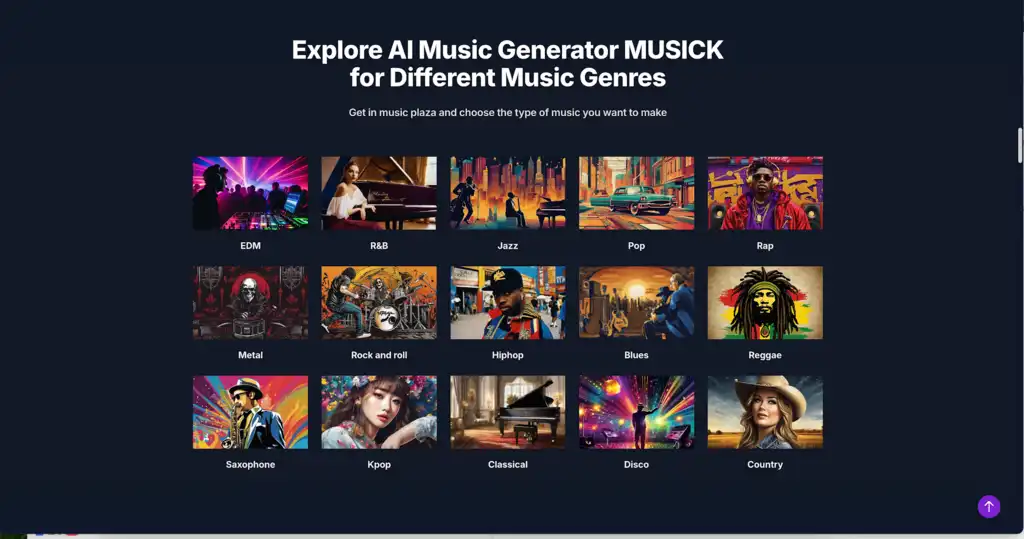
Different broadcasting categories require distinct auditory backdrops. An intense shooter match benefits from high-energy beats, while a farming simulator requires relaxing melodies. An AI Music Maker supports a vast array of genres to match these needs. Creators select from EDM, Metal, Pop, or Hiphop for action, or Jazz, Blues, R&B, and Country for softer, atmospheric vibes.
III. Structuring Effective Audio Prompts
- Defining Tempo and Song Structure
Achieving a studio-quality sound requires highly specific text instructions. Inside the prompt box, outlining the exact song structure leads to much better results. Broadcasters should specify sections like the intro, verse, chorus, bridge, and outro. Additionally, defining the exact tempo, such as 120 BPM, generates an upbeat rhythm ideal for high-energy segments.
- Detailing Instruments and Vibe
Vague prompts yield unpredictable audio. To get the best results from an AI Music Maker, prompts must detail specific instruments and the desired emotional response. Typing “bright synths, dynamic percussion, and a lively bassline” provides clear direction to the engine. Adding the intended feeling, such as “positive and inspiring,” helps the system understand the exact atmosphere required.
- Utilizing Specific Scenario Descriptions
Using genres and vibes instead of naming specific artists is the most effective way to generate usable audio. Describing a specific scenario yields excellent results. Typing “acoustic pop about the holidays” gives the engine a solid foundational concept. Testing different descriptive tags allows creators to fine-tune the final output for perfectly aligned stream segments.
IV. Advanced Models and Creator Tools
- Switching Between Model Versions
Audio preferences vary greatly among content creators. To accommodate different production needs, Musick AI features toggleable generation models, specifically v1.0 and v2.0. These models handle complex harmonies and instrument separation differently. If a specific prompt yields a track that feels too synthesized, switching to the other version can produce a warmer, more acoustic tone.
- Generating Short Transition Loops
Long broadcasts require frequent scene changes. Transitioning from full gameplay to a “Be Right Back” screen requires an audio cue to signal the change to the audience effectively. Users can use a text prompt to generate a short music loop ranging from fifteen to thirty seconds. These bite-sized audio clips are perfect for quick visual transitions.
- The AI Beat Producer Application
Beyond generating full tracks from a single text prompt, supplementary tools expand creative control. The AI Beat producer allows users to input specific melody notes to design a custom sheet. This is excellent for creators who have a specific rhythm in mind but lack formal production software, giving them granular control over the final audio product.
V. Integration and Workflow Management
- Organizing Local Audio Libraries
Once a track is generated and finalized, managing those files correctly is vital for a smooth live show. Streamers download the completed audio directly to local hardware. Organizing these downloaded files into specific folders labeled by mood, such as “Intense Combat” or “Casual Lobby,” ensures quick access inside broadcasting software like OBS Studio.
- Maintaining Broadcast Energy
Game momentum can change quickly from relaxing exploration to stressful, high-stakes combat. Having sorted folders allows a creator to switch to calming tracks instantly after a frustrating gameplay moment. This resets the stream’s mood effectively. Curating these specific emotional tones guarantees that the audio always supports the creator’s intended atmosphere.
- Securing Multi-Channel Distribution
A successful Twitch stream is rarely the end of the content lifecycle. Broadcasters routinely edit live footage into short-form videos and compilations for other social networks. Because the generated tracks are safe, creators can use the identical background audio on YouTube, Instagram, Facebook, LinkedIn, and Twitter, eliminating the tedious process of replacing audio tracks.
VI. Expanding the Stream Audio Arsenal
- Crafting Lyrics for Original Content
The AI Song Lyrics Generator is another powerful addition to the suite. It can supply written lyrics based on specific genres automatically. This feature is highly useful for streamers who perform live or host interactive karaoke segments. It allows a broadcaster to create entirely original songs on the fly, engaging the chat with fresh content.
- Designing Playlists with the Rap Generator
For specialized content, the AI Rap Generator assists in designing precise playlists based on selected genres. This tool helps create highly rhythmic and lyrical backing tracks that fit perfectly with fast-paced gaming montages or highlight reels. It ensures the background music is not just acceptable, but highly customized and professionally structured.
- Applying Mood Templates
Musick AI offers a variety of mood templates tailored to different brand needs. Instead of starting from a blank slate every time, creators can apply these templates to jumpstart the generation process. Whether the goal is to produce an uplifting morning intro or a somber dramatic outro, these templates save valuable preparation time before going live.
VII. Conclusion: Taking Full Ownership of Stream Audio
Managing copyright restrictions should never hinder creativity during a live broadcast. Equipping a channel with custom, generated audio ensures that every stream remains entirely safe from DMCA strikes while sounding highly professional. By utilizing specific prompts, toggling instrumental options, and organizing downloaded tracks efficiently, creators can build a massive library of exclusive sounds. This approach not only protects the channel’s legal standing but also significantly elevates the overall production value.
Broadcasters can finally focus on entertaining the audience, knowing the background audio is completely secure and uniquely tailored to the exact specifications required for a successful show. Ultimately, an AI Music Maker transforms a frustrating legal obstacle into a powerful creative asset. By providing a reliable way to generate original soundtracks, Musick AI empowers streamers to take full ownership of their audio identity. The result is a more immersive, engaging, and stress-free broadcasting experience that keeps viewers coming back for more. Content creators no longer have to compromise between high-quality sound and channel safety; they can finally have both.