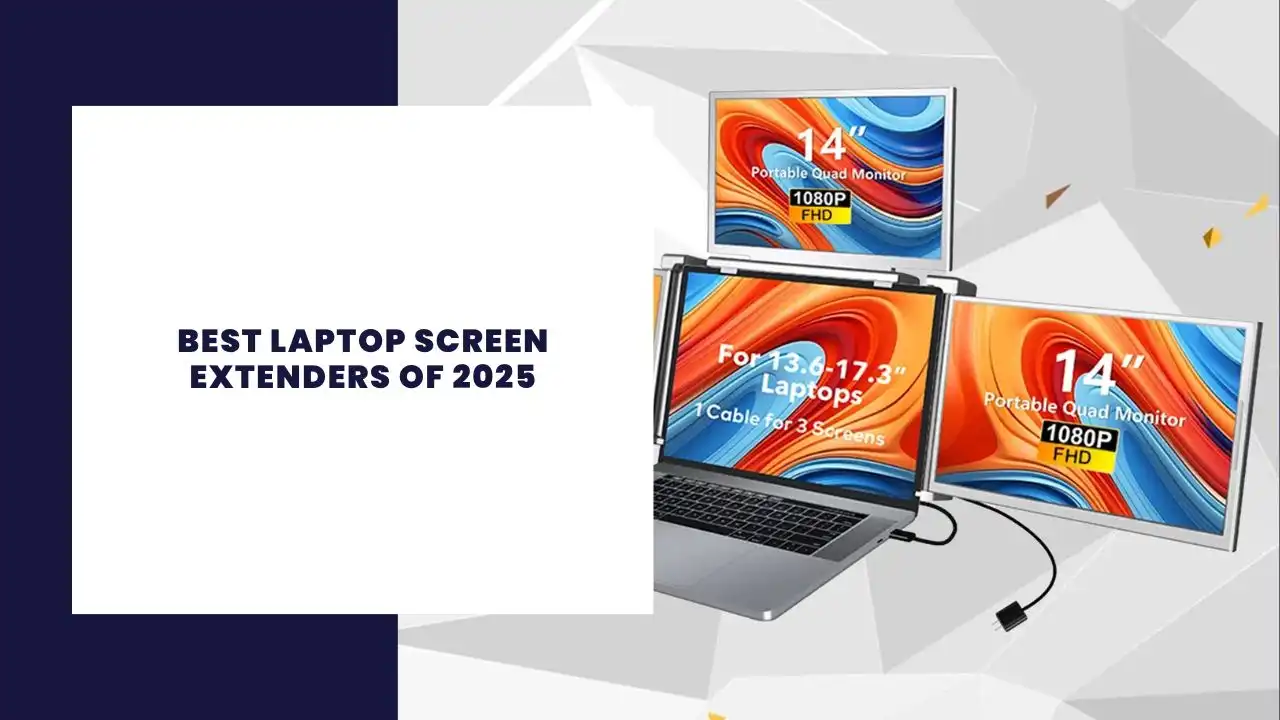
In an era where multitasking and mobility are paramount, the demand for effective laptop screen extenders has surged.Whether you’re a digital nomad, a creative professional, or someone who simply needs more screen real estate, the right portable monitor can significantly enhance your productivity.This comprehensive guide delves into the top laptop screen extenders of 2025, helping you make an informed decision tailored to your needs.
A laptop screen extender is a device that provides an additional screen to your existing laptop, allowing for a dual-screen or even triple-screen setup.These portable monitors connect via USB-C, HDMI, or USB-A ports, offering flexibility and ease of use.They are particularly beneficial for those engaged in remote work, creative tasks, or any activity that benefits from expanded screen space.
2. Top Picks for 2025
Lenovo ThinkVision M14t Touch Portable Monitor
The Lenovo ThinkVision M14t stands out as a best portable monitor for professionals.With a 14-inch IPS display offering 1080p resolution, it ensures crisp visuals.The touchscreen capability adds an interactive dimension, making it ideal for presentations and creative work.Its lightweight design and dual USB-C ports enhance portability and connectivity.
ASUS ZenScreen MB16ACE
For those seeking a balance between performance and affordability, the ASUS ZenScreen MB16ACE is a top contender.This 15.6-inchportable monitor features a Full HDIPS display, ensuring vibrant colors and wide viewing angles.Its slim profile and USB-C connectivity make it a favorite among travelers and remote workers.
Dpofirs 15.6-Inch Dual Portable Monitor
The Dpofirs 15.6-inch dual portable monitor offers a triple-screen experience, enhancing productivity for multitaskers.Each screen delivers 1080p resolution, and the foldable design ensures easy transport.It’s compatible with various laptop models, making it a versatile choice for professionals on the go.
3. Key Features to Consider
Display Technology
Most portable monitors utilize IPS panels, known for their color accuracy and wide viewing angles.A 1080p resolution is standard, but some models offer higher resolutions for enhanced clarity.
Connectivity
Ensure the portable monitor has the necessary ports compatible with your laptop, such as USB-C, HDMI, or USB-A.Some monitors also offer wireless connectivity options, adding to their versatility.
Portability
A lightweight and slim design is crucial for those who travel frequently.Features like a foldable stand or a protective case can add to the monitor’s portability.
Power Consumption
Consider the monitor’s power requirements.Some portable monitors draw power directly from the laptop, while others have a built-in battery, ensuring they don’t drain your laptop’s battery excessively.
4. Enhancing Productivity with Dual-Screen Setups
Integrating a laptop screen extender into your workflow can significantly boost productivity.Whether you’re managing multiple applications, conducting research, or engaging in creative work, the additional screen space allows for better organization and efficiency.Dual-screen portable monitors are especially beneficial for tasks that require constant reference to multiple documents or applications.
5. Budget-Friendly Options
For those on a budget, there are several budget portable monitors that don’t compromise on quality.These monitors offer essential features like 1080p resolution, USB-C connectivity, and lightweight designs, making them suitable for students or professionals seeking cost-effective solutions.
6. Wireless Portable Monitors
The advent of wireless portable monitors has revolutionized the way we approach laptop screen extension.These monitors eliminate the need for cables, offering a clutter-free workspace.They connect via Wi-Fi or Bluetooth, providing flexibility and ease of setup.However, it’s essential to ensure your laptop supports wireless display technology for seamless integration.
7. Setting Up Your Laptop Monitor Extender
Setting up a laptop monitor extender is typically straightforward.Most portable monitors are plug-and-play, requiring no additional drivers.Simply connect the monitor via the appropriate port, adjust your laptop’s display settings, and you’re ready to go.For wireless monitors, follow the manufacturer’s instructions to pair the device with your laptop.
Conclusion
The right laptop screen extender can transform your computing experience, offering enhanced productivity, improved display technology, and the flexibility to work efficiently from anywhere.Whether you prioritize portability, screen quality, or budget, there’s a portable monitor tailored to your needs.As remote work and on-the-go computing continue to rise, investing in a reliable laptop monitor extender is a decision that pays dividends in efficiency and convenience.
We use cookies on our website to give you the most relevant experience by remembering your preferences and repeat visits. By clicking “Accept”, you consent to the use of ALL the cookies.
This website uses cookies to improve your experience while you navigate through the website. Out of these, the cookies that are categorized as necessary are stored on your browser as they are essential for the working of basic functionalities of the website. We also use third-party cookies that help us analyze and understand how you use this website. These cookies will be stored in your browser only with your consent. You also have the option to opt-out of these cookies. But opting out of some of these cookies may affect your browsing experience.
Necessary cookies are absolutely essential for the website to function properly. This category only includes cookies that ensures basic functionalities and security features of the website. These cookies do not store any personal information.
Any cookies that may not be particularly necessary for the website to function and is used specifically to collect user personal data via analytics, ads, other embedded contents are termed as non-necessary cookies. It is mandatory to procure user consent prior to running these cookies on your website.