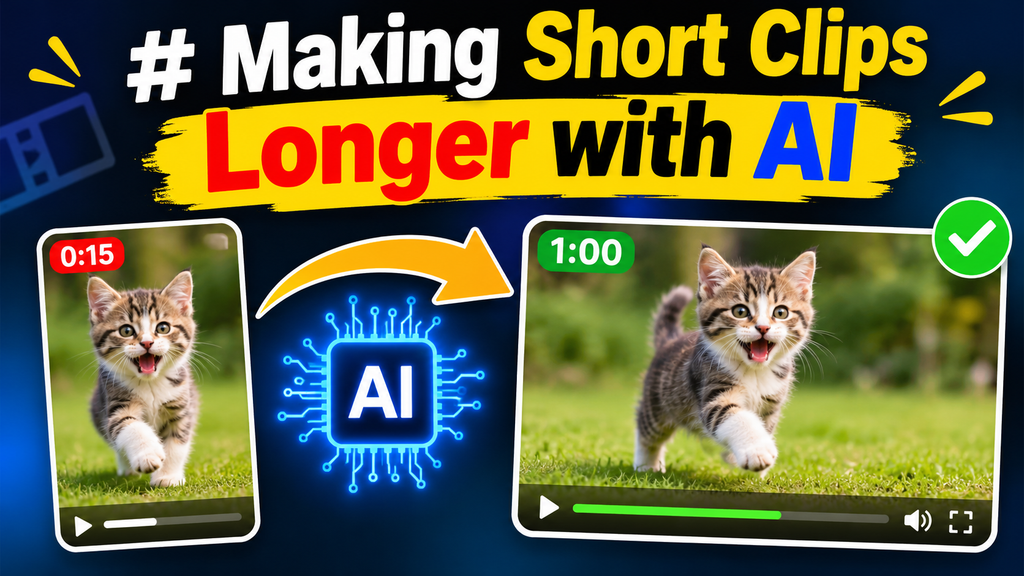
Short-form video has become an important part of how creators, businesses, educators, and marketers communicate online. A few seconds of footage can capture attention, demonstrate a product, introduce an idea, or tell a small story. However, short clips sometimes end before the message has fully developed. A product demonstration may need another moment to show its details, a travel scene might benefit from a longer visual transition, or a social media video may require additional footage to match its intended pacing.
Traditionally, solving this problem meant recording another take, searching for additional footage, slowing down the original clip, or repeating existing frames. These methods can work, but they often introduce extra editing time or make the finished video feel repetitive.
Artificial intelligence offers another approach. AI video extension tools can analyze existing footage and generate additional visual content that continues the original scene. Instead of simply stretching the timeline, they attempt to create new moments that look like a natural progression of the source material.
This hands-on guide explores how AI video extension works, how to use it effectively, where it produces the best results, and what to check before publishing an extended clip.
Why Short Video Clips Sometimes Need More Time
A short video is not necessarily an incomplete video. Many social media posts work perfectly well within a few seconds. Problems arise when the available footage does not provide enough time for the intended message.
Consider a creator filming a coffee-making process. The original recording might show someone pouring milk into a cup, but the clip ends just as the final drink appears. Extending the footage could provide a few additional seconds to show the finished coffee and create a more satisfying ending.
The same situation occurs across different types of content.
- Product demonstrations: A short recording may need extra time to reveal product features or show an item from another angle.
- Travel videos: A scenic shot might benefit from a longer camera movement or a more gradual transition.
- Educational content: Demonstrations sometimes move too quickly for viewers to understand each step.
- Marketing videos: A product reveal may need additional time for a headline or visual message.
- Personal content: A memorable moment may deserve a longer presentation without requiring another recording session.
In these situations, adding time is not simply about increasing video duration. The additional footage should improve the viewing experience.
How AI Video Extension Works
AI video extension uses generative models to produce additional frames that follow the visual information in an existing clip. Depending on the tool, the system may examine the final frames, subject movement, camera direction, lighting, background, and overall composition.
For example, imagine a video showing a cyclist moving along a quiet road. If the clip ends while the cyclist is still moving forward, an AI model may generate additional frames showing the movement continuing along the same road.
The generated section is intended to maintain visual consistency with the original footage.
This process differs from traditional editing techniques.
Slowing down footage changes playback speed. It makes existing frames last longer but does not create new visual events.
Duplicating footage repeats existing content. This can work for simple backgrounds or looping animations, but repeated movement is often noticeable.
Adding stock footage introduces another recording. Although this can provide additional context, differences in lighting, camera movement, and composition may make the transition obvious.
AI video extension attempts to generate a continuation that belongs to the original scene.
The results depend heavily on source quality and scene complexity. AI does not understand every detail of a recording perfectly, so generated footage should always be reviewed before publication.
A Hands-On Workflow for Making Short Clips Longer
The easiest way to understand AI video extension is to approach it as a small editing experiment. Rather than starting with an important commercial project, choose a simple clip that has a clear subject and relatively predictable movement.
Step 1: Choose the Right Source Video
Begin with a clip that has a recognizable subject and a clear visual direction.
A person walking, a vehicle moving along a road, waves reaching a beach, or a slow camera movement across a room can provide useful starting material.
Avoid footage with excessive camera shaking, sudden changes in lighting, or several fast-moving subjects. These characteristics can make it difficult for an AI model to predict what should happen next.
The final moments of the original recording deserve particular attention. If the clip ends during a sudden camera movement or an awkward transition, the generated continuation may struggle to maintain consistency.
Before uploading anything, watch the original recording and identify the point where additional footage would make the most sense.
Step 2: Select an AI Video Extender
Once the source clip is ready, choose a tool designed to generate additional video content.
A useful starting point is an ai video extender free option, which allows creators to explore AI-assisted video continuation as part of their editing workflow.
When evaluating an extender, consider several practical factors:
- Supported video formats and file sizes.
- Available extension duration.
- Output resolution.
- Whether the tool preserves the original aspect ratio.
- Generation limits and credit requirements.
- Download options and watermark conditions.
Free access does not always mean unlimited generations or unrestricted exports. Check the current conditions before using a tool for a project that has a specific delivery deadline.
Step 3: Upload and Review the Original Clip
After selecting a suitable tool, upload the video according to its instructions.
Take a moment to review the source before generating anything. Pay attention to the main subject, its position, the direction of movement, the background, and the lighting.
These details provide useful visual context for the continuation.
If the original recording contains several unrelated actions, consider trimming it to the strongest section first. A focused clip gives the extension process a clearer starting point.
For example, a five-second recording of a person opening a door may be more useful than a longer recording containing unrelated movement before and after that action.
Step 4: Define What Should Happen Next
A good extension has a purpose. Instead of asking for more footage without direction, think about what the next few seconds should communicate.
If the original clip shows a person walking through a park, the continuation might maintain the walking motion while revealing more of the surrounding environment.
If the footage shows a product on a table, the extension might preserve the camera position while allowing the scene to develop gradually.
A useful instruction should describe:
- The subject that must remain consistent.
- The movement that should continue.
- The environment and lighting.
- The desired camera direction.
- The general atmosphere of the scene.
Avoid requesting too many new actions at once. A simple continuation is usually easier to evaluate than a completely different event.
Step 5: Generate and Compare the Results
Start the generation process and review the available output.
If the tool provides multiple versions, compare them rather than automatically selecting the first result.
Look for continuity in the subject’s appearance, movement, camera position, and background. Small differences may be acceptable for atmospheric footage, but major changes can make an extension unsuitable for a realistic product demonstration or instructional video.
A useful practice is to compare the final second of the original clip with the first second of the generated section.
This is where unexpected changes are often easiest to notice.
Step 6: Refine the Extended Video
Once a suitable continuation has been generated, move to the finishing stage.
The extended footage may need trimming to remove an awkward beginning or ending. You might also need to adjust the music, captions, transitions, or sound effects.
For example, if the original recording contains background music, the additional footage should not suddenly become silent unless that change is intentional.
Similarly, subtitles and on-screen graphics may need to remain visible for longer so viewers have enough time to read them.
Finally, watch the entire video from beginning to end. An extension that looks convincing on its own may still feel awkward when placed inside the complete sequence.
Two Practical Experiments to Try
Rather than testing AI extension only with random footage, creators can use small experiments to understand where the technology is most useful.
Experiment 1: Extend a Landscape Shot
Record a short video of a natural landscape, such as a beach, mountain view, or tree-lined street.
Choose footage with gentle movement and a relatively stable camera.
Try extending the scene while maintaining the same visual atmosphere. The objective is to create a longer establishing shot that gives viewers more time to appreciate the location.
During review, pay attention to changes in the sky, moving objects, lighting, and camera direction.
A convincing result should feel like a continuation of the original recording rather than a completely different landscape.
Experiment 2: Extend a Product Demonstration
Record a short video showing a product being picked up, opened, or placed on a table.
Use a simple background and consistent lighting. These conditions make it easier to identify whether the generated continuation preserves the original product.
After extension, examine the product’s shape, color, proportions, and smaller details.
This experiment is particularly useful because it highlights an important limitation of generative video. An extension might look visually attractive while changing a specific product detail.
For commercial content, accuracy is more important than visual smoothness. If the generated version alters a logo, label, or product feature, it should not be used as a factual demonstration.
Common Problems When Extending Videos with AI
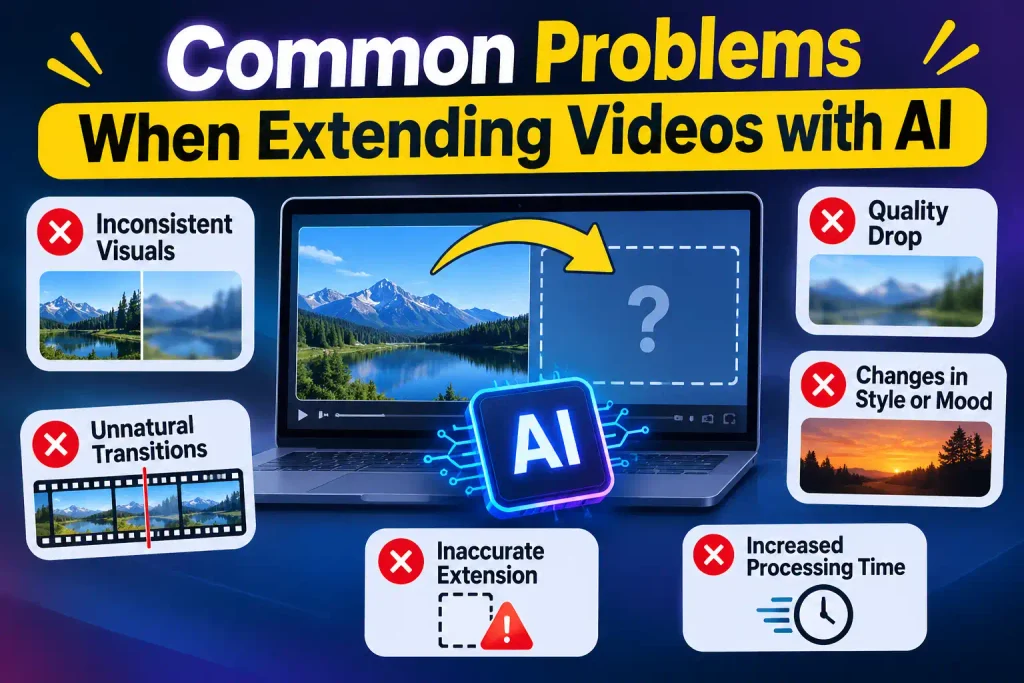
AI-generated footage can save time, but it does not guarantee perfect continuity.
Understanding common problems helps creators decide when an extension is worth keeping.
Changes in Subject Appearance
Faces, hands, clothing, and product details may change slightly during generation.
These inconsistencies can be difficult to notice in a thumbnail but become obvious during full-screen playback.
Review important details frame by frame when the footage involves identifiable people, branded products, or instructional demonstrations.
Unexpected Camera Movement
A stationary camera may suddenly appear to move, or a smooth tracking shot may develop an unexpected change in direction.
This usually becomes more noticeable when the generated footage is placed directly after the original recording.
Using a clear continuation instruction and selecting footage with predictable movement can help reduce the problem.
Background Distortion
AI models sometimes struggle with complicated backgrounds containing text, buildings, reflections, or multiple moving objects.
Straight lines may become distorted, signs may become unreadable, and background objects may appear to change shape.
For scenes where environmental accuracy matters, inspect these details carefully.
Audio and Timing Issues
Generating additional visual frames does not necessarily provide a matching audio continuation.
The original soundtrack may end before the new footage does, leaving a noticeable silence or abrupt change.
Creators can address this by extending suitable background music, adding ambient sound, or adjusting the audio fade. Dialogue should not be artificially extended if doing so changes what a person actually said.
Tips for Getting Better AI Video Extension Results
A few simple habits can make the process more reliable.
Start with shorter extensions. Adding a small amount of footage first makes it easier to evaluate continuity. You can request more time if the result is convincing.
Use clean source material. Stable lighting, clear subjects, and predictable motion provide useful visual information.
Keep the original composition in mind. If the subject is positioned on the left side of the frame, an extension should not unexpectedly move it to the opposite side without a reason.
Avoid unnecessary complexity. A simple continuation is generally easier to evaluate than a scene involving several new characters, objects, and actions.
Check the result at normal playback speed. Paused frames reveal visual defects, but normal playback shows whether the movement feels natural.
Preserve the original file. Keep an untouched copy so you can compare the generated version with the source or try another approach.
When AI Extension Is Not the Best Solution
Although AI video extension is useful, it should not replace every traditional editing technique.
Sometimes the simplest solution is to rearrange the footage. If a video contains an unused moment that could work better as an ending, moving that section may solve the problem without generation.
For a title card that needs extra reading time, holding a suitable frame may be more effective than creating new footage.
Slow-motion editing is another option when the original action looks natural at a reduced playback speed. A short movement, such as a person turning toward the camera, may benefit from a carefully adjusted speed.
If the video requires accurate dialogue, specific product details, or an exact sequence of events, recording additional footage may be more dependable than asking AI to invent it.
The goal is to select the method that improves the finished video, not simply to use AI because it is available.
Final Thoughts
Making short clips longer with AI can give creators more flexibility when existing footage ends too early. It provides an additional way to develop scenes, improve transitions, and make better use of recordings that already contain useful visual information.
The most effective results begin with suitable source footage and a clear idea of what the extension should accomplish. A thoughtful instruction, a short generation experiment, and careful quality checks can make a significant difference.
AI video extension is best treated as an editing aid rather than a replacement for creative judgment. When additional footage supports the story and maintains visual consistency, even a few extra seconds can make a video feel more complete.